
1. Use a permanent link
Share the document’s link on your website, in emails, and in customer resources. Existing direct PDF links need to be switched to this link when you start using the system.
A Red Crown Digital product
Using PDFs across your website, emails, or customer resources? Our document management system lets you replace a document without updating every place you’ve shared its link.
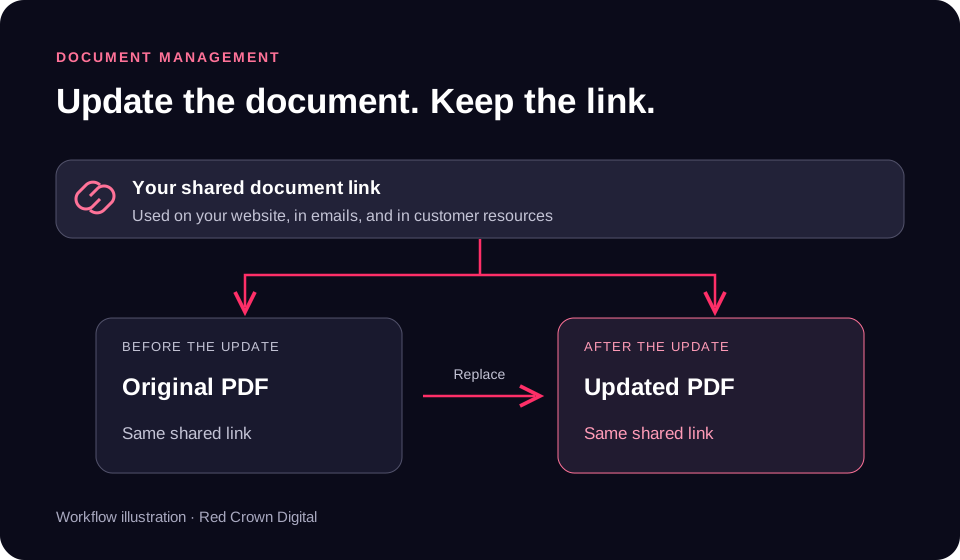
Workflow illustration, not a screenshot of the application.
The problem
A catalog or specification sheet may be linked from several product pages, resource lists, and emails. When replacing the PDF means creating a new URL, every place that references it becomes another link to maintain.
The document management system separates the shared link from the PDF you replace. You update the document while keeping its shared URL.
How it works
Share the document’s link on your website, in emails, and in customer resources. Existing direct PDF links need to be switched to this link when you start using the system.
When the PDF changes, replace it in the system instead of publishing a new link everywhere it is referenced.
Your pages and resources keep their existing system link, which continues to point to the document after you update it.
For industrial and fastener distributors
Keep a stable link to a catalog or line card when your product information changes.
Link to specification sheets and installation guides from relevant product pages and resources.
Replace a revised certification or supporting PDF without changing the system link you share.
Our product & our role
This is a Red Crown Digital product. Our team built the document management system and its permanent-link workflow to make ongoing PDF updates easier to manage.
The practical benefit is fewer shared links to maintain when documents change. It does not change copies someone has already downloaded or PDF files attached directly to an email.
Tell our team which documents you share and where you use them.
Discuss Document Management